A picture is worth a thousand words, but a well-annotated screenshot is worth even more. Professional screenshot tools transform basic captures into clear communication.
Beyond Basic Screenshots
Your operating system takes screenshots. But professional tools add:
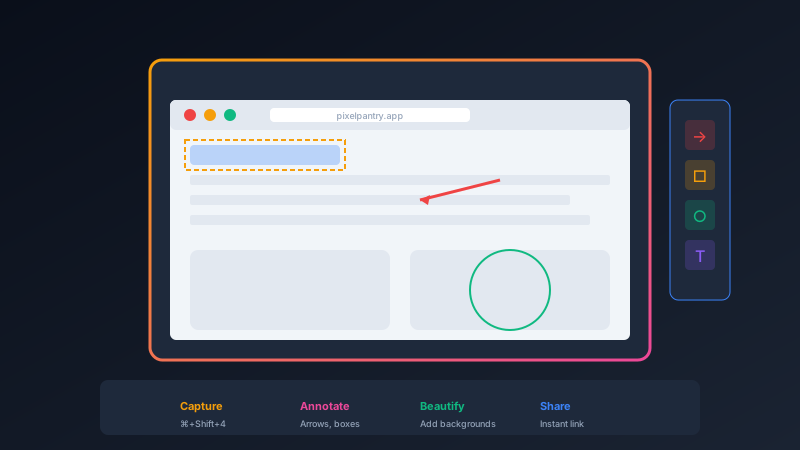
- Annotation: Arrows, boxes, highlights, and text to draw attention
- Beautification: Backgrounds, shadows, and frames that look professional
- Instant sharing: Upload and get a link in seconds
- Organization: Keep your screenshots searchable and organized
Use Cases
Bug Reports
Circle the issue, add an arrow, include a note. Developers understand immediately.
Documentation
Create step-by-step guides with numbered annotations.
Feedback
Show exactly what you mean instead of trying to describe it.
Social Media
Beautiful screenshots with backgrounds and device frames.
Recommended Tools
Screenshot Studio from Pixel Pantry provides capture, annotation, and beautification in one free tool.
CleanShot X offers the most comprehensive features for Mac users willing to pay. Lightshot provides free cross-platform basic annotation.
Keyboard Shortcuts
The fastest workflow uses keyboard shortcuts for everything:
- Capture selection: one shortcut
- Annotate: immediate editing interface
- Share: one more shortcut for instant upload
From capture to shared link in under 10 seconds.