Look at the top-right corner of your Mac screen. That thin strip of icons is the most underrated piece of real estate on your computer. While most people focus on their Dock and desktop, power users know the truth: the menu bar is where Mac productivity magic happens.
Menu bar apps embody a philosophy that is increasingly rare in software: do one thing well, stay out of the way, and be there when needed. In a world of bloated apps demanding constant attention, these tiny utilities are a breath of fresh air.
What Makes Menu Bar Apps Great
Before diving into specific apps, let us understand why the menu bar format works so well for certain tools.
Always Available, Never Intrusive
Menu bar apps live in a persistent space that does not compete with your main work. Unlike Dock apps that open windows and demand focus, menu bar apps wait quietly until you need them. One click reveals their functionality; click away and they disappear.
Instant Access
The menu bar is always visible (unless you are in full-screen mode). There is no Command-Tab cycling through windows, no searching for an app buried under other windows. Need a quick action? It is right there, one click away.
Best Menu Bar Apps by Category
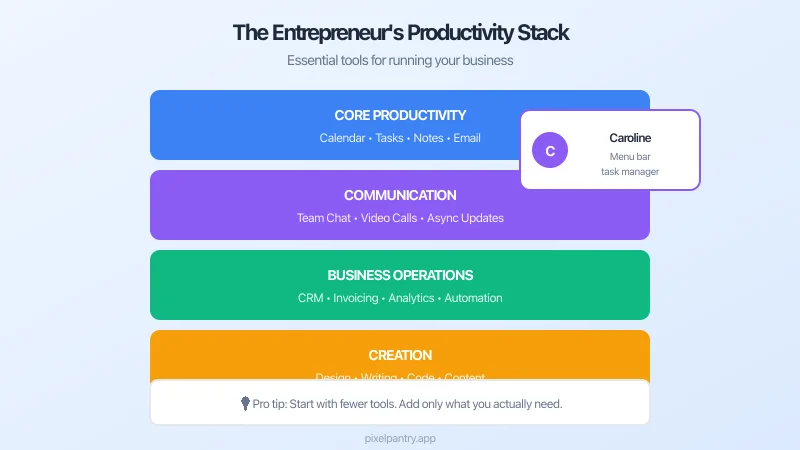
Daily Planning: Caroline
We built Caroline because we noticed a gap in how entrepreneurs start their workday. Most people wake up, open their laptop, and immediately dive into email or Slack - reactive mode from minute one.
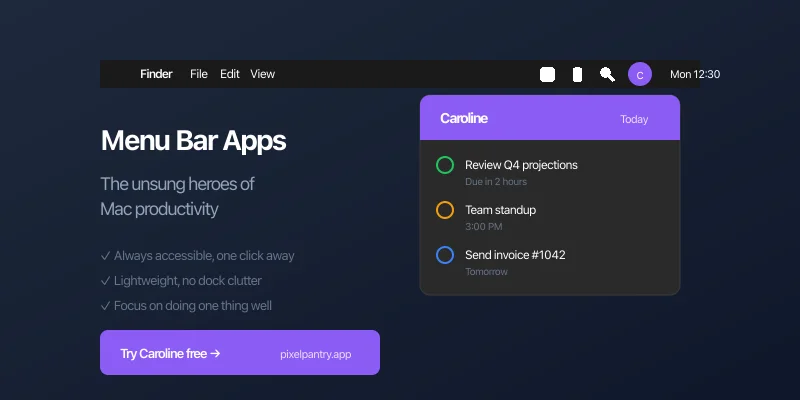
Caroline takes a different approach. Click the menu bar icon, and you get a quick briefing of your day: what meetings you have, what tasks are priorities, and what deserves your attention. It is like having a personal assistant give you a 30-second rundown before you start working.
Key features:
- Calendar integration showing today's schedule
- Smart priority suggestions
- Clean, distraction-free interface
- Completely free - no premium tier, no subscription
Download Caroline free and transform how you start your day.
The Pixel Pantry Approach
When we built Caroline, we started with a question: "What would a menu bar app look like that helps entrepreneurs start their day well?"
We did not try to build a comprehensive productivity suite. We focused on that single moment - the transition from "starting work" to "doing work" - and made it better.
Caroline will not replace your task manager or calendar. It works alongside them, providing a quick daily briefing that helps you approach your work intentionally rather than reactively. That is the power of focused design: doing one thing so well that users wonder how they worked without it.
At Pixel Pantry, all our tools follow this philosophy. Simple, free, focused. We believe the best software is the kind you barely notice - it just works, helping you accomplish what matters without getting in the way.
The Bottom Line
Menu bar apps represent software at its best: focused, unobtrusive, and genuinely useful. In a world of attention-hungry applications, they offer a refreshing alternative - tools that wait patiently until needed, do their job quickly, and get out of the way.
If you are a Mac user who has not explored menu bar utilities, you are missing out on significant productivity gains. Start with one or two apps that address real pain points, and build from there. Your future self will thank you.