Markdown lets you write formatted content without taking your hands off the keyboard. No clicking through menus, no fighting with formatting tools. Just write.
What is Markdown?
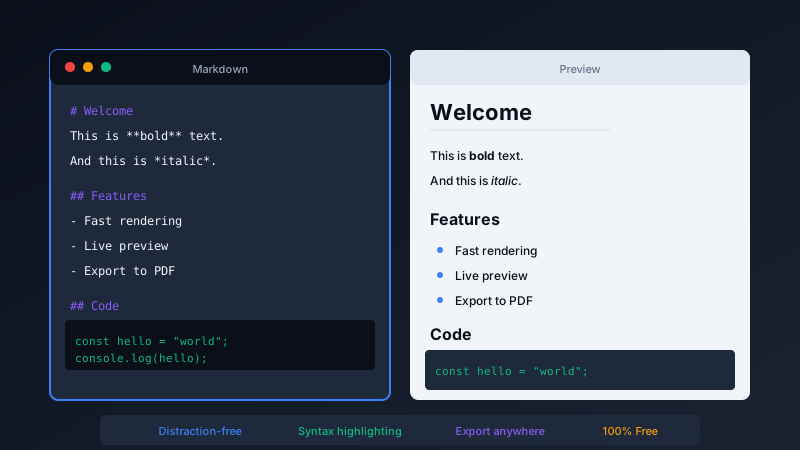
Markdown is a simple syntax for formatting text. Instead of buttons and menus, you use characters that are easy to type:
# Headingcreates a heading**bold**makes text bold*italic*makes text italic- itemcreates a bullet list[link](url)creates a hyperlink
Why Writers Love It
- Speed: Format while typing, not after
- Focus: No distracting toolbars or formatting panels
- Portability: Markdown files work everywhere
- Version control: Works perfectly with Git for tracking changes
Best Free Markdown Editors
For Mac
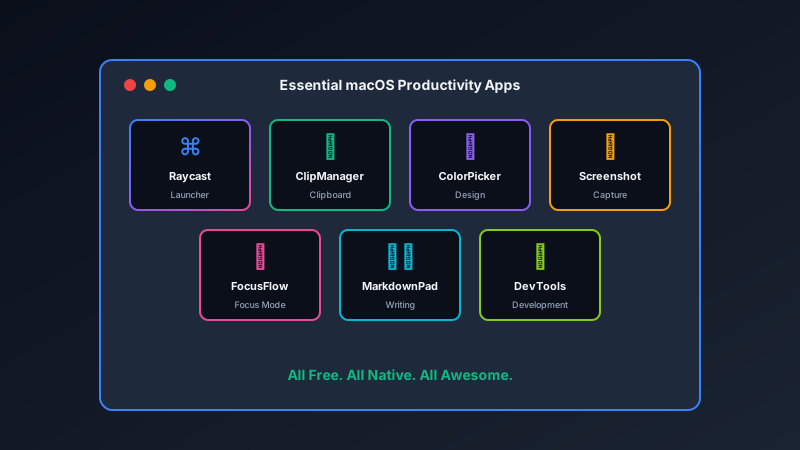
MarkdownPad from Pixel Pantry provides a clean, distraction-free writing environment with live preview.
Cross-Platform
Obsidian offers a powerful writing environment with linking between notes. VS Code with Markdown extensions is perfect for developers.
Online
HackMD and StackEdit provide browser-based Markdown editing with collaboration features.
Getting Started
Markdown takes about 10 minutes to learn the basics. The syntax is intuitive:
- Learn five basic formatting rules
- Write your next document in Markdown
- Export to any format you need
Once you experience the flow of Markdown writing, clicking through formatting menus feels painfully slow.